Understanding Einstein Automated Contacts
Einstein Automated Contacts is a Salesforce feature designed to leverage artificial intelligence for contact management. It helps in automatically identifying potential new contacts from your email and suggesting them for addition to your Salesforce CRM. This feature is incredibly useful for sales and marketing professionals who regularly interact with numerous clients and leads through email.
Benefits of Integrating Gmail with Salesforce
Time Efficiency: Manual entry of contact details is time-consuming. With automated integration, you save valuable time.
Data Accuracy: Automated systems reduce the risk of human error in data entry.
Enhanced Productivity: Sales teams can focus more on sales strategies rather than mundane data entry tasks.
Improved Lead Management: Quickly capture leads and contacts from email interactions for faster follow-up.
How to Set Up Einstein Automated Contacts with Gmail
Step 1: Ensure Prerequisites Are Met
Make sure you have the required Salesforce edition (Einstein is available in certain editions).
Confirm that you have the necessary permissions to use Einstein Automated Contacts.
Step 2: Connect Your Gmail Account to Salesforce
Navigate to Salesforce's 'Email Integration' settings.
Follow the prompts to connect your Gmail account with Salesforce.
Step 3: Enable Einstein Automated Contacts
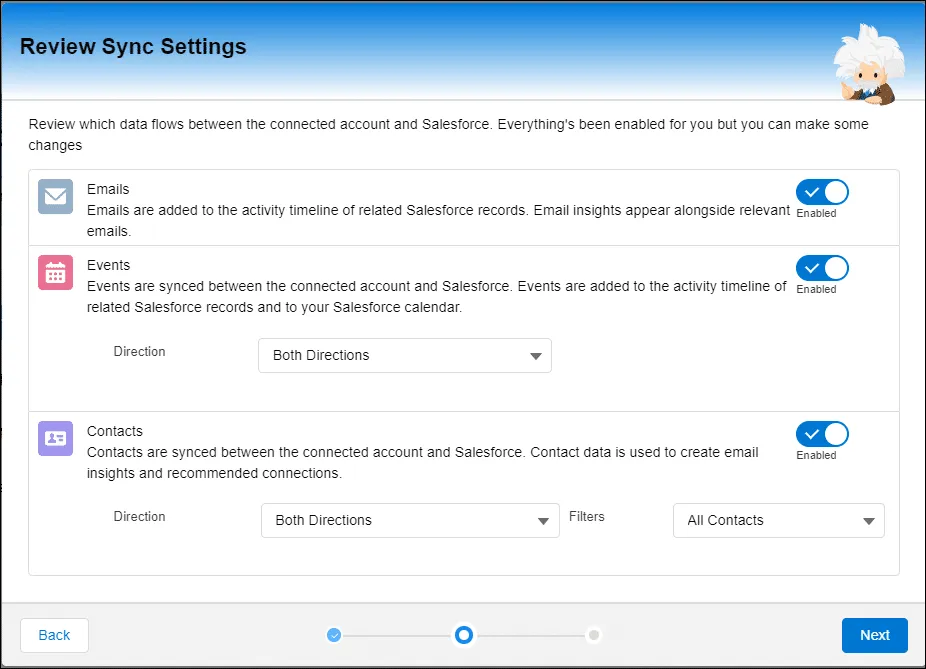
In Salesforce, go to the Einstein Automated Contacts settings.
Enable the feature and configure settings according to your preference (e.g., frequency of contact suggestions).
Step 4: Automating Contact Addition
Once enabled, Einstein will start scanning your Gmail for potential contacts.
It will suggest contacts based on email interactions.
You can review these suggestions and choose to add them to your Salesforce CRM.
Step 5: Customize and Refine
Customize how contacts are added.
Refine the system by providing feedback on contact suggestions.
Best Practices for Using Einstein Automated Contacts
Regularly Review Suggestions: Regularly check the contact suggestions for accuracy and relevance.
Feedback Loop: Provide feedback to Einstein on its suggestions to improve accuracy over time.
Privacy Compliance: Ensure compliance with data privacy laws when adding contacts automatically.
Integration with Other Tools: Utilize Salesforce's integration capabilities to connect with other tools for a seamless workflow.
Conclusion
Integrating Einstein Automated Contacts with Gmail is a game-changer for Salesforce users. It not only streamlines the process of managing contacts but also ensures that opportunities are not missed due to manual oversight. As businesses continue to seek efficiency and effectiveness in their operations, leveraging such AI-driven tools becomes not just beneficial but essential. Embrace the future of CRM by automating your contact management today!